
Labeling Incoming Mail: A Three-Bin System for Bills, Action, and Filing
Posted by Affordable Address Labels on Mar 19th 2020
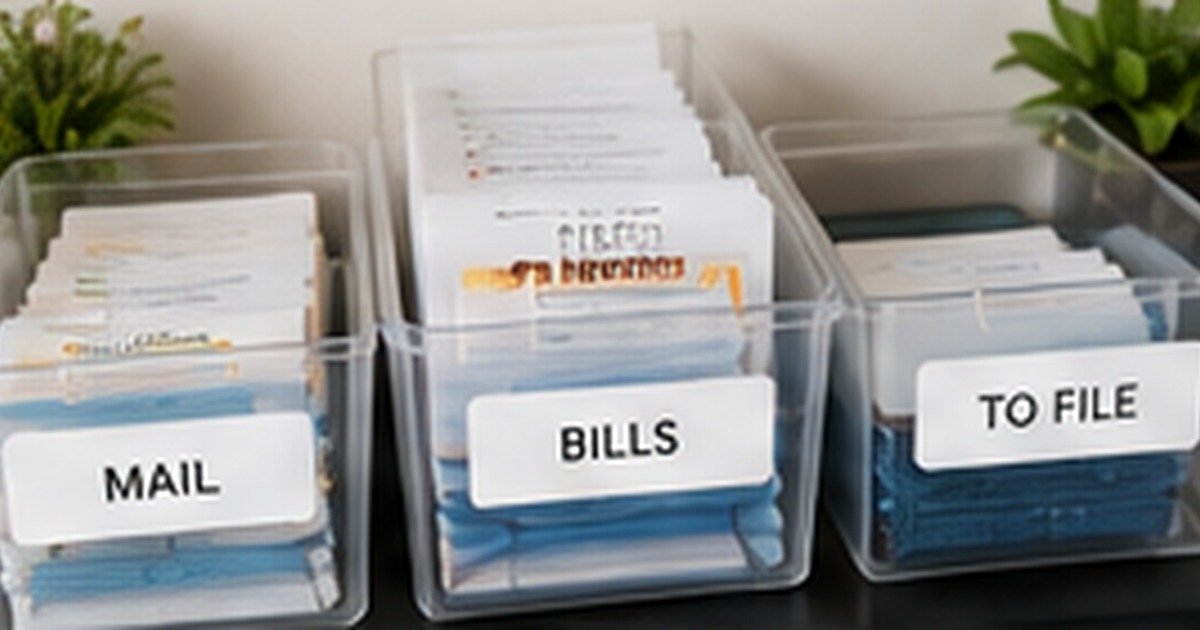
Incoming mail becomes clutter when there is no decision point between the mailbox and the kitchen counter. A three-bin system gives every paper an immediate destination and keeps important items visible without spreading them across the house.
The labels matter because they define the action. Broad categories such as “miscellaneous” invite procrastination, while clear words like “bills,” “action,” and “file” tell the household what happens next.
Use categories that describe the next step
The first bin holds bills or scheduled payments, the second holds forms and tasks requiring action, and the third holds records ready to file. Advertising and obvious trash should never enter the system. This quick decision reduces the pile before it starts and prevents important documents from disappearing under catalogs.
Place the bins near the natural drop zone
Choose the location where mail is already opened, not the location that looks best in a photo. A small shelf near the entry, kitchen, or home office works when it is easy to reach. Keep a recycling container nearby so unwanted pieces leave the workflow immediately.
Make labels readable from standing height
Use direct language and enough contrast to read the category without bending down. If more than one person sorts mail, avoid decorative wording that requires interpretation. Color can help, but the words should remain the primary cue. A consistent font and label size keep the setup calm rather than visually busy.
Schedule one short weekly processing session
A labeled system organizes paper, but it does not complete the tasks. Choose a weekly time to pay, respond, scan, and file. Emptying the bins regularly prevents them from becoming permanent storage and reveals whether any category needs to be adjusted.
Design for the least familiar user
The system should make sense to a guest, substitute teacher, new employee, or family member who did not create it. Use plain words, consistent placement, and enough contrast. If incoming mail organization labels requires a separate explanation sheet, the categories may be too clever. Clear labels reduce questions and allow the space to function when the primary organizer is absent.
Choose materials according to cleaning and handling
Labels on desk drawers, kitchen containers, and classroom bins experience different wear. Consider moisture, abrasion, sunlight, and how often the container is washed or moved. Test one sample of incoming mail organization labels in the real environment before labeling the entire space. Durability is part of organization because damaged labels make the system harder to trust.
Retire categories that have lost their purpose
As routines change, old labels can preserve outdated behavior. Remove or rename categories that stay empty, overflow constantly, or no longer correspond to a task. An organization system should evolve with the household or workplace. A brief quarterly review keeps labeling incoming mail: a three-bin system for bills, action, and filing aligned with actual needs.
Avoid turning the label system into another maintenance burden
The common failure with incoming mail organization labels is creating more categories than the household, classroom, or office can realistically maintain. Labels should reduce decisions, not add them. Avoid vague words, containers without a clear next action, and categories that only the organizer understands. Do not solve overflowing bins by adding more bins until the contents and processing routine are reviewed. Leave some empty capacity so new items have a temporary home without destroying the system. After two weeks, ask users which labels they ignore or misunderstand. Removing one confusing category can improve labeling incoming mail: a three-bin system for bills, action, and filing more than adding five attractive labels.
Quick checklist
- Sort only actionable or keep-worthy mail into bins
- Place the system at the real mail-opening location
- Use plain, readable category names
- Process and empty the bins every week
Frequently asked questions
What belongs in the action bin?
Forms, invitations requiring replies, documents needing signatures, and any paper tied to a next step.
Should medical and tax mail have separate bins?
Only if volume justifies it. Otherwise, process those items into secure long-term files during the weekly session.
Can the system be digital?
Yes. The same categories can guide scanning and email folders, but physical mail still needs a short holding workflow.
Make the next mailing easier
A clear system turns the next envelope, package, or note into a repeatable task rather than a new design problem. Explore custom labels to coordinate the practical details with a polished finished look.