
Labeling a Family Command Center: Mail, Receipts, and School Papers
Posted by Affordable Address Labels on Dec 4th 2019
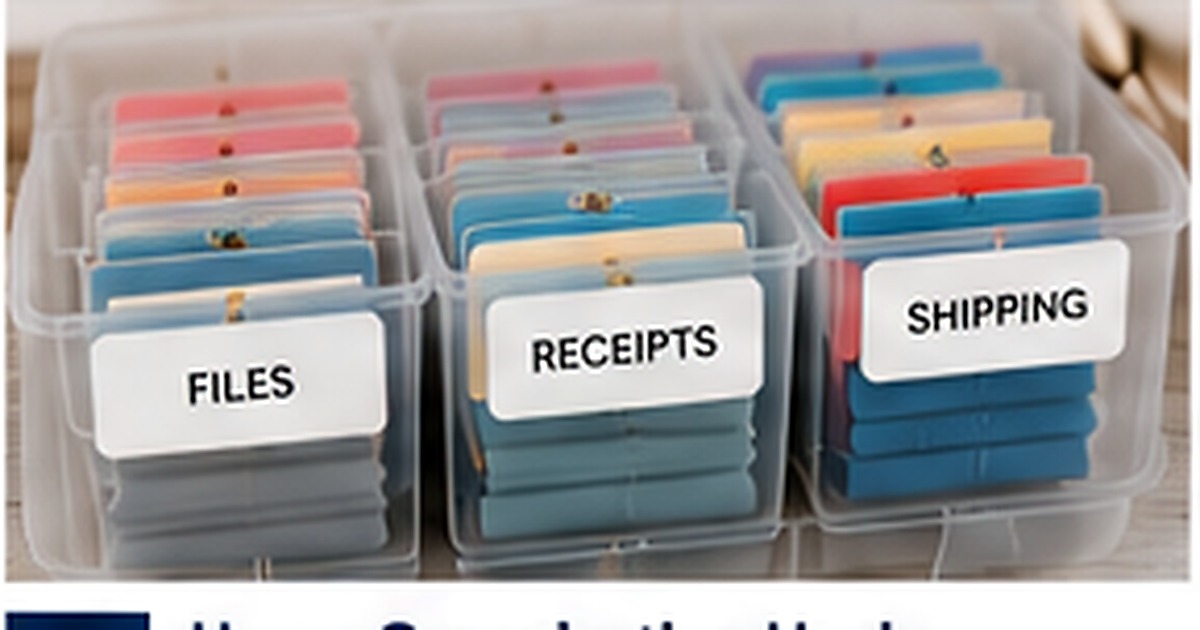
A family command center only works when papers have obvious destinations. Without clear categories, mail and school forms simply move from the kitchen counter to a decorative basket and remain unresolved.
Useful labels should describe the next action, not merely the type of paper. A small set of practical zones can turn daily clutter into an easy household routine.
Create an incoming zone with a time limit
Use one location for newly arrived mail and papers, but do not let it become permanent storage. Label it “Review Today” or “Incoming” and build a short daily habit around emptying it. The label should signal movement.
Label by action rather than vague category
“To Pay,” “To Sign,” “To File,” and “To Discuss” are more useful than broad labels such as “Important.” Action labels tell every family member what happens next and reduce the number of decisions required.
Give school papers their own workflow
Separate permission slips, graded work, calendars, and keepsakes. A “Return to School” pocket prevents forms from disappearing, while a dated keepsake box controls sentimental paper without allowing it to take over the command center.
Use receipt categories that match household needs
Some families need “Taxes,” “Warranties,” and “Reimbursements,” while others need “Medical” or “Business.” Choose labels based on the reasons receipts are retrieved later. Discard routine receipts once the return window and recordkeeping need have passed.
Review the system monthly
If a category is always empty, remove it. If one pocket overflows, divide it into clearer actions. A command center should evolve with the household schedule rather than remain frozen in an idealized layout.
Common organization mistakes to avoid
A frequent mistake with family command center labels is creating too many categories before the household or office has tested the routine. Detailed labels may look organized but slow people down when several bins seem equally correct. Another problem is using decorative wording that is not part of everyday language. Start with broad, obvious actions and add detail only where items repeatedly become misplaced. Labels should reduce decisions, not create a new filing project that requires constant explanation.
Run a two-week real-life test
Use temporary labels or a small first set for two weeks. Watch where papers and supplies naturally accumulate, which categories overflow, and which labels nobody uses. Ask other household or staff members to locate and return items without guidance. Use action words such as Pay, Sign, File, and Return should be possible without opening several containers or reading a separate key. Move labels to the point of decision and rename categories using the words people actually say.
Build maintenance into the routine
Every organization system drifts as school schedules, work responsibilities, and storage needs change. Add a short monthly review to empty outdated material, combine underused categories, and update reorder levels. Keep incoming paper temporary is easier to maintain when one person owns the review but everyone understands the labels. Keep a few blank matching labels nearby for new categories so temporary handwritten notes do not become permanent clutter.
Document the version that works
Once the family command center labels setup has been tested, save the exact wording, dimensions, image choice, order date, and quantity in a simple household or business file. Include a photograph of the finished piece and note any changes you would make next time. This record shortens future proofing, prevents old addresses or names from returning, and makes reordering easier for another family member or employee. Good documentation turns a one-time stationery decision into a dependable repeatable process.
Quick checklist
- Use action words such as Pay, Sign, File, and Return
- Keep incoming paper temporary
- Create a dedicated school-return zone
- Review categories monthly and simplify
Frequently asked questions
How many categories should a command center have?
Start with five to eight high-use categories. Too many labels make filing slower and create uncertainty.
Should every family member have a pocket?
Only if papers are regularly assigned by person. Action-based pockets are often more efficient.
Where should the command center be located?
Choose a place near the household’s natural entry and planning routine, but away from food spills and heavy clutter.
Put the system into practice
A clear plan makes stationery easier to use and easier to reorder. Review the wording at actual size, choose a realistic quantity, and explore custom labels that fit the way the household or business actually communicates.