
Home Records Filing Labels: Categories That Reduce Paper Clutter
Posted by Affordable Address Labels on Jan 30th 2020
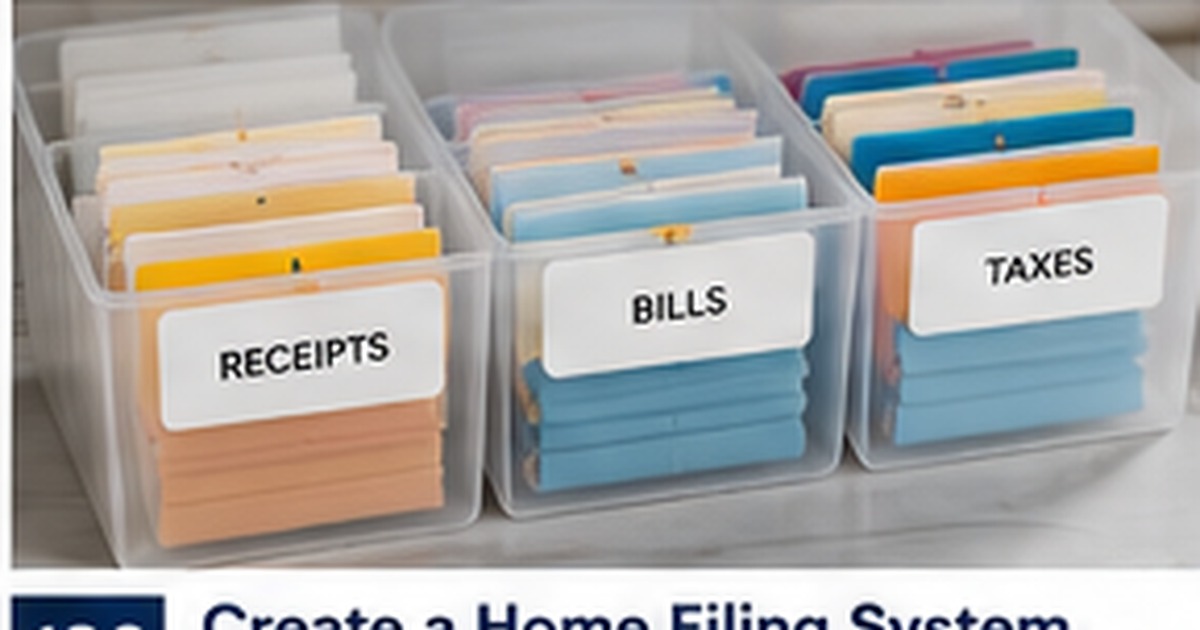
A filing system reduces clutter only when papers can be placed and found without debate. Labels should reflect the records your household actually receives, not an idealized office system copied from a generic organizer.
The strongest categories are broad enough to remain useful but specific enough to guide action. A small number of clearly named folders usually works better than dozens of narrow categories that are difficult to maintain.
Start with the documents that create real risk
Identify papers that would be difficult or expensive to replace: tax records, insurance policies, property documents, medical summaries, and major warranties. Give those categories clear, stable labels first. Routine receipts and temporary notes can be organized afterward. Priority-based setup makes the system useful immediately.
For this part of the project, use a real sample instead of relying only on a screen preview. Check the wording, size, placement, and workflow with the people who will actually use it. A small test often reveals an issue before it affects an entire order or mailing.
Use action words for papers still in motion
Not every document is ready for long-term filing. Create labels such as To Pay, To Sign, To Submit, and To File so active paperwork does not disappear inside permanent folders. Review these action categories weekly. They prevent the filing cabinet from becoming a place where unfinished tasks are hidden.
For this part of the project, use a real sample instead of relying only on a screen preview. Check the wording, size, placement, and workflow with the people who will actually use it. A small test often reveals an issue before it affects an entire order or mailing.
Separate current records from archives
Keep the current year or active policy near the front, then move older material into an archive section based on your retention needs. Labels such as Taxes 2025 or Insurance - Current reduce searching. Avoid storing every version together without dates because the wrong document may be used when a claim, application, or deadline arises.
For this part of the project, use a real sample instead of relying only on a screen preview. Check the wording, size, placement, and workflow with the people who will actually use it. A small test often reveals an issue before it affects an entire order or mailing.
Choose wording everyone in the household understands
A filing system fails when only one person knows what the labels mean. Use ordinary terms rather than private abbreviations. If several people contribute paperwork, add a one-page index that explains where common items belong. This small step makes the system resilient when schedules are busy or responsibilities change.
For this part of the project, use a real sample instead of relying only on a screen preview. Check the wording, size, placement, and workflow with the people who will actually use it. A small test often reveals an issue before it affects an entire order or mailing.
Review categories before buying more storage
Clutter sometimes reflects unclear decisions rather than insufficient boxes. Remove duplicates, discard expired reference material when appropriate, and combine overlapping folders. After the categories are working, choose containers and custom labels that fit the volume. Storage should support the system, not become the system.
For this part of the project, use a real sample instead of relying only on a screen preview. Check the wording, size, placement, and workflow with the people who will actually use it. A small test often reveals an issue before it affects an entire order or mailing.
Quick checklist
- Prioritize hard-to-replace records
- Create action folders for unfinished tasks
- Date current and archived material
- Use plain household language
- Declutter before adding storage
Frequently asked questions
How many filing categories should a home have?
There is no ideal number. Start with the categories your household uses regularly and add only when a repeated need appears.
Should receipts have one folder or several?
A single current-receipts folder may be enough, with separate files only for taxes, warranties, or reimbursable expenses.
Where should original vital documents be stored?
Use secure storage appropriate to the document, not an ordinary open filing box. Keep reference copies where helpful.
Build a dependable stationery system
Good labels and paper goods make communication easier when the design supports the real task. Review custom labels to create a coordinated solution that is readable, useful, and appropriate for the occasion.